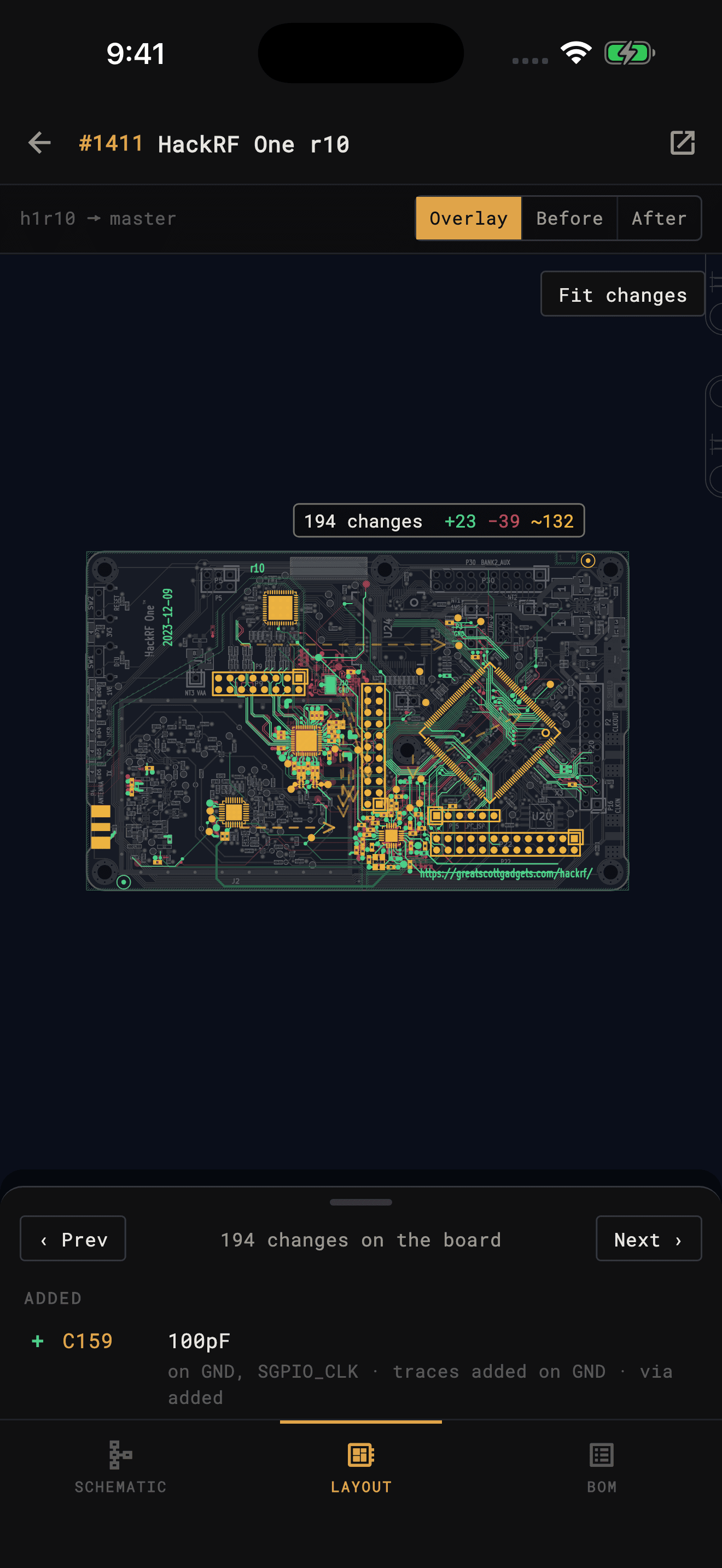
See a pull request instead of reading it. KiCad Viewer downloads both versions of a pull request or merge request and marks what changed on the PCB layout, the schematic and the BOM: every part added, removed, moved or changed, and the copper and wiring that went with it.
Why not git diff
KiCad files are text, so every git host shows a diff of them. For a real board it is tens of thousands of lines of coordinates and IDs. This is HackRF One’s r10 pull request, the one the app ships as its sample.
| hackrf-one.kicad_pcb | +45,695 | −47,911 |
|---|---|---|
| baseband.kicad_sch | +4,413 | −1,706 |
| clock.kicad_sch | +0 | −4,432 |
| frontend.kicad_sch | +1,050 | −608 |
| mcu.kicad_sch | +925 | −506 |
| hackrf-one.kicad_sch | +185 | −282 |
| hackrf-one.kicad_pro | +13 | −20 |
| 7 KiCad files | +52,281 | −55,465 |
lines added and removed
Three ways to look
Switch between the PCB layout, the schematic and the BOM, and the part you picked stays picked. Parts that changed only on the other canvas are listed too.
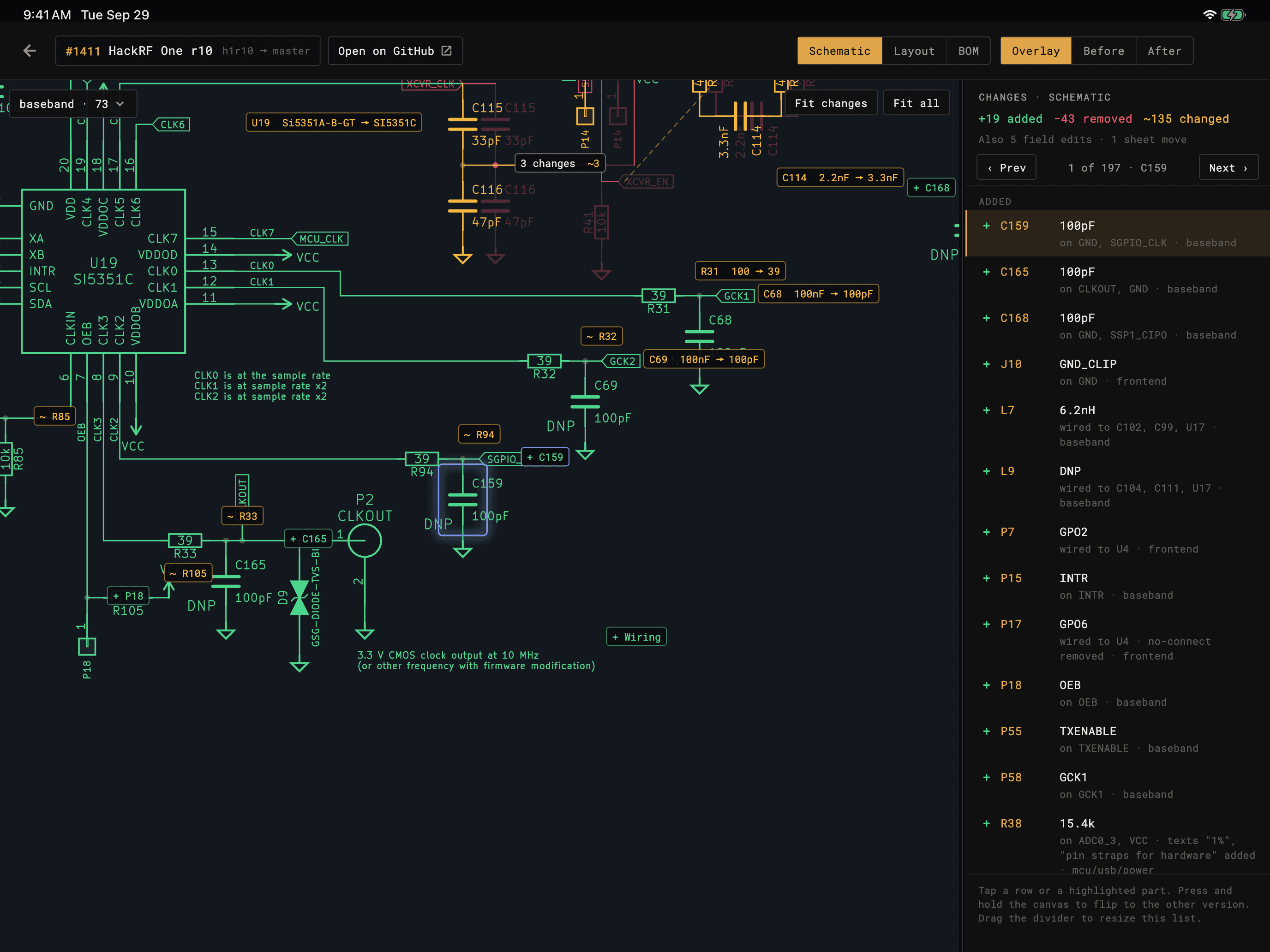
The new version in gray, with what was added in green, removed in red and changed in amber. A part that moved shows where it came from.
The old version, dimmed, with what the pull request removes or changes drawn in full and what it adds as a faint ghost.
The new version, dimmed, with what it adds or changes drawn in full. Press and hold the canvas to flip between Before and After.
One change at a time
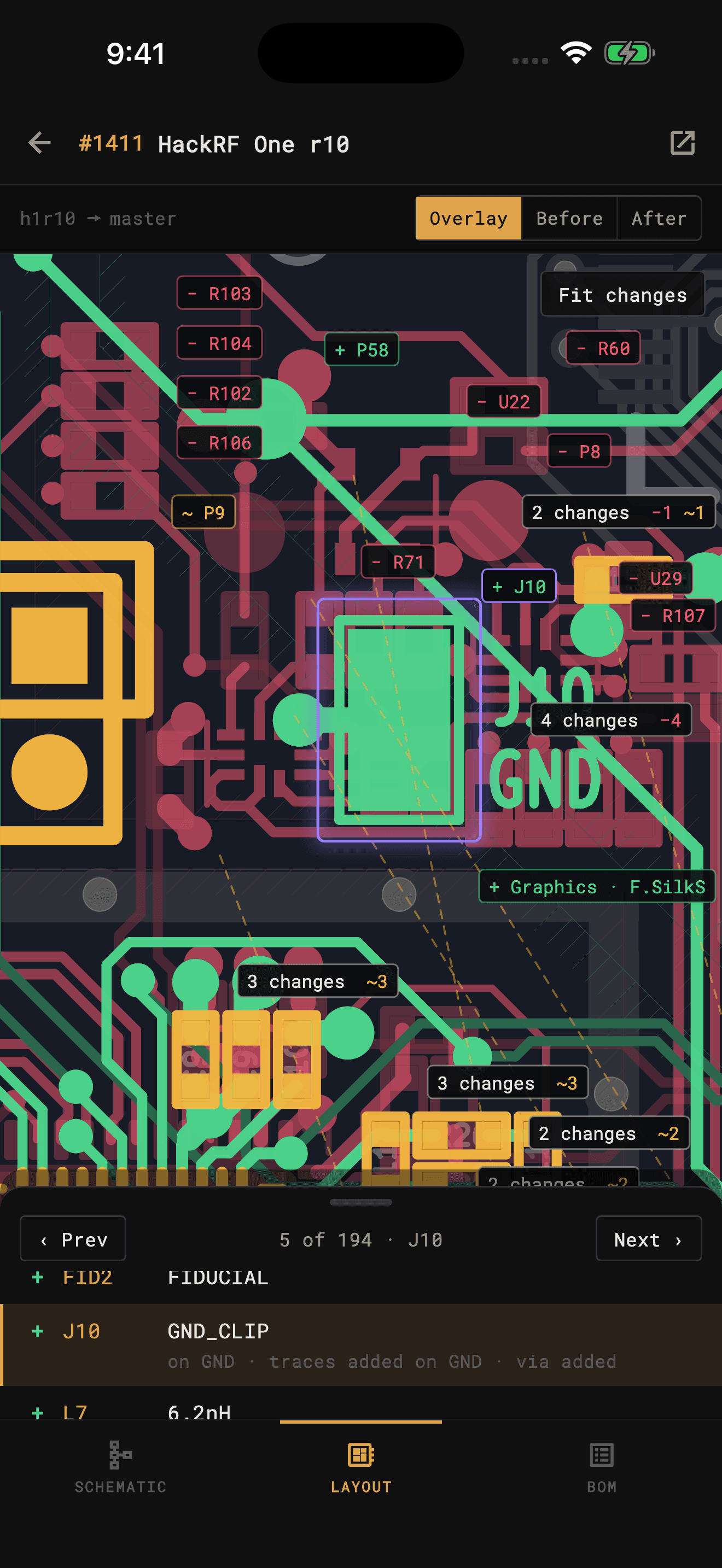
Each row is one part, or one run of routing or wiring, and says what happened to it: a value that changed, how far a part moved, which nets its pins moved to, and the traces and vias that came with it. Never a count of segments.
Prev and Next step through the rows, and the canvas follows. Tap a tag on the board and its row comes up.
Only real changes
Saving a board rewrites much of the file. KiCad Viewer compares what the design means, which parts sit where and what connects to what, so none of this shows up as a change.
Pours compare by their outline, net and layers, never by the fill.
KiCad renumbers nets when it saves. Tracks and vias compare by net name.
A track with a fresh ID but the same place, width and net is the same track.
A renamed sheet renames every net on it. Nets are matched by the pads they connect, and the renames are one row.
When most parts moved by the same amount, the board moved. Changes are shown relative to it.
A KiCad 4 or 5 project resaved in KiCad 6 or later: old timestamps, re-sorted pads and re-split wires all match their converted selves.
Examplehackrf #1464 resaves the Opera Cake board, a KiCad 4 project, in KiCad 7 and moves it on the page. GitHub counts 63,576 lines added and 9,641 removed. KiCad Viewer finds one change: the date on the silkscreen became a text variable.
Your git host
Pull requests on GitHub, Gitea, Forgejo and Codeberg, merge requests on GitLab, self-hosted instances included. Three ways to open one:
The start screen lists the open pull requests of every repository you've cloned, newest first. Tap one to compare it.
Paste a pull request or merge request link, or owner/repo to pick from its open requests. No clone needed; public GitHub repositories work without signing in.
On a cloned project, the source control button lists that repository's open pull requests.
Try it free
The app comes with HackRF One’s r10 pull request: both revisions of a real open-source board, 194 changes on the layout. Tap Sample pull request on the start screen. No account, nothing to download.
Reviewing your own pull requests is part of Plus, which includes everything in Pro. See plans
Questions
No. The app asks your git host for the two versions of the project as archives and compares them on the phone or tablet. There is no git to install and nothing to check out on a desktop.
The pull request's latest commit against its merge base, the commit its branch started from, which is what your git host's own diff shows. Commits that landed on the target branch since don't appear as changes.
Yes. The PCB layout, every schematic sheet, and the BOM each have their own change list. A part picked on one stays picked when you switch to another.
Everything the viewer opens, KiCad 5 through KiCad 10, including a pull request that resaves a project in a newer KiCad.
No. Both versions download from your git host straight to the device and are compared there.
Reviewing your own pull requests is part of Plus, which includes everything in Pro. The sample pull request in the app is free. Current prices are on the App Store and Google Play listings.
Listing a repository's pull requests needs the app's read access to pull requests. GitHub asks the owner of the account the app is installed on, an organization owner for an organization, to approve it once. Public repositories can be compared without it.
Get the app
KiCad Viewer is available for iPhone, iPad, and Android. The sample pull request is in the app, free.
 KiCad Viewer