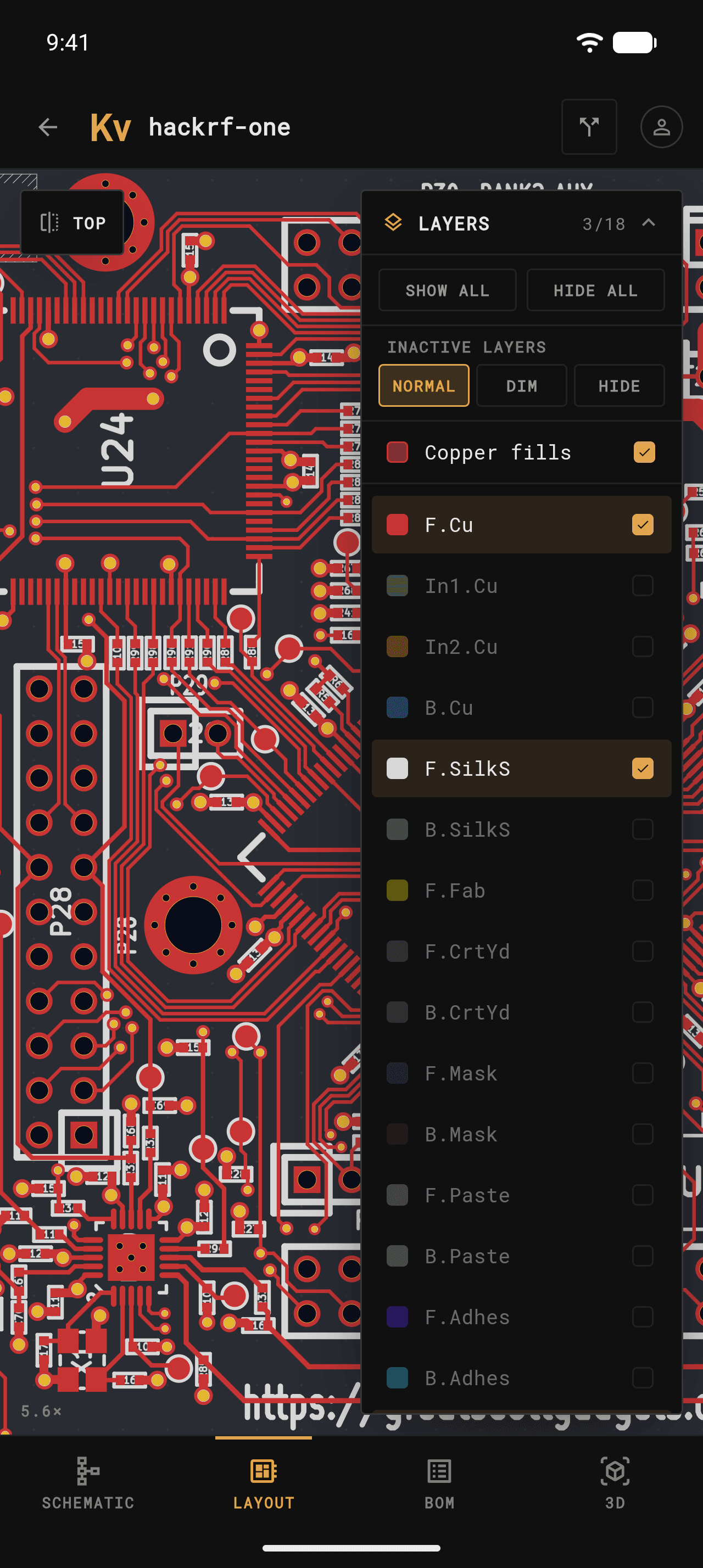
Open KiCad projects on your Android phone or tablet as they are: .kicad_pro, .kicad_sch and .kicad_pcb, from the phone’s storage, Google Drive or straight from GitHub, GitLab and Gitea. Browse every schematic sheet, toggle the PCB layers and keep the BOM open at the bench.
Getting a project onto your phone
KiCad Viewer reads the project's own files. Nothing to export, convert or upload first.
Tap Open and pick the project's folder in Android's folder picker, in the phone's storage or on an SD card. The app finds the KiCad project inside, even a few folders down.
Cloud and storage apps that appear in the folder picker work the same way. If a cloud folder's files don't come across, make them available offline in that app first.
Android hands apps a folder rather than a path, so KiCad Viewer copies the project into its own storage and opens the copy. Your files stay as they are; open the folder again to bring in later changes.
Sign in and clone a repository, public or private, from GitHub, GitLab, Gitea, Forgejo or Codeberg, self-hosted servers included. Pull updates and switch branches in the app, with no computer.
Downloaded a project as a .zip? Pick the folder it's in and the app offers to unzip it and open the project inside.
Paste a pull request or merge request link to see what it changes on the board, the schematic and the BOM, without cloning anything. Public GitHub repositories need no sign-in.
Phones and tablets
A tablet gets its own layout, and a stylus gets picks a finger can't make.
On a tablet the schematic, the PCB layout and the BOM sit next to each other, and a part tapped in one lights up in the other two. The 3D view can join them as a fourth column.
A stylus or mouse tap picks the thin track, via or wire under its tip, where a finger picks the part around it.
On a phone the schematic, the board, the BOM and the 3D view are tabs, and a part picked on one stays picked on the next.
What it shows
KiCad Viewer reads the project’s own files and draws them with KiCad’s stroke font and colors, checked against KiCad’s own plots of the same files.
Try it free
The app comes with the HackRF One, an open-source software radio: its schematic sheets, its four-layer board and its BOM, with every feature, the 3D view included. A sample pull request on it is free too.
Your own projects need Pro. Pull request review and the 3D view need Plus, which includes everything in Pro. See plans
Questions
KiCad itself runs on Windows, macOS and Linux. KiCad Viewer is an independent app that opens KiCad's own project files on Android phones and tablets, to read them; it doesn't change them. To edit a design on Android there is KiCad Editor, from the same developer. Neither is made by the KiCad project.
Android 7.0 or later, on phones and tablets.
Android gives apps access to a folder through its own file picker rather than as a path, so KiCad Viewer copies the project into its own storage and opens it there. The original files are never changed. To see changes made since, open the folder again.
Open the folder through the phone's storage instead of through Downloads: in the folder picker, open the menu, tap your phone's name, then Download and the project's folder.
Yes, from a Drive folder that appears in Android's folder picker. If the files don't come across, make the folder available offline in the Google Drive app first, then pick it again.
AR opens the board in Google's Scene Viewer, which comes with the Google app. Google app 17.66 and later close Scene Viewer as soon as it opens, and Google hasn't fixed it yet; KiCad Viewer tells you when that happens. The 3D view itself works on every phone.
No. Projects open on the device and the app never uploads your files. Repository access uses your own account, and the access tokens are kept in the system's secure storage.
The app is free to download, and the HackRF One demo opens with every feature. Opening your own projects needs Pro; Plus adds pull request review and the 3D view. Each comes as a monthly subscription, with a free trial for new subscribers, or as a one-time purchase. Prices are on Google Play.
Get the app
KiCad Viewer is free to download, with the HackRF One demo to try every feature first.
 KiCad Viewer