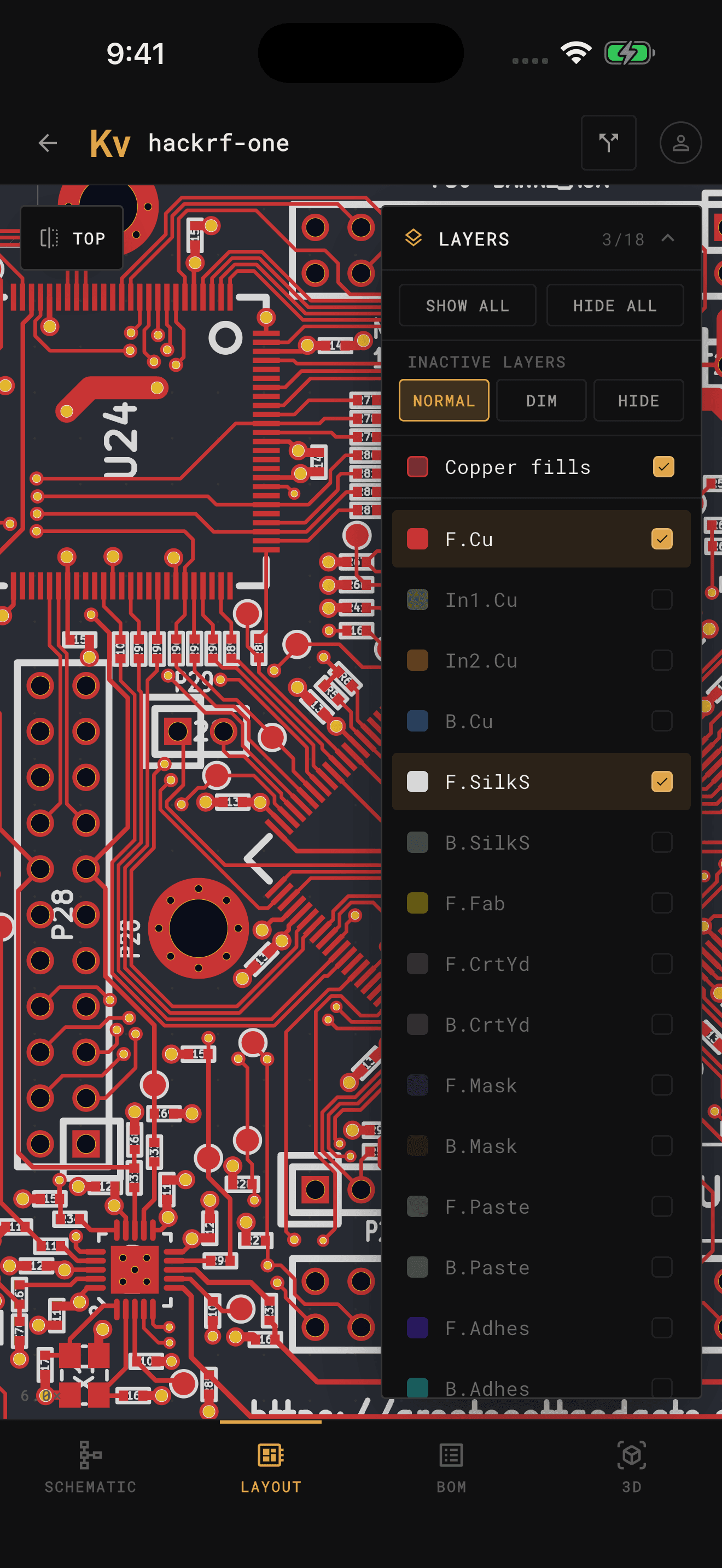
Open KiCad projects on your iPhone and iPad as they are: .kicad_pro, .kicad_sch and .kicad_pcb, from the Files app, iCloud Drive, a NAS or straight from GitHub, GitLab and Gitea. Browse every schematic sheet, toggle the PCB layers and keep the BOM open at the bench.
Getting a project onto your iPhone
KiCad Viewer reads the project's own files. Nothing to export, convert or upload first.
Tap Open and pick the project's folder: On My iPhone, iCloud Drive, or anywhere else the Files app reaches. The app reads it where it is and remembers it, so it reopens from Recents without asking again.
Tap a .kicad_pro, .kicad_sch or .kicad_pcb file in the Files app and it opens in KiCad Viewer. When iOS hands over only that file, the app shows it and asks for its folder to open the whole project.
A project kept in step by a sync app, such as Möbius Sync for Syncthing, opens from the folder that app shows in Files, like any other.
Connect to the share in Files with Connect to Server, then pick the project folder. Some NAS setups show every folder as empty to apps; the app then asks for the project file and opens the project around it.
Sign in and clone a repository, public or private, from GitHub, GitLab, Gitea, Forgejo or Codeberg, self-hosted servers included. Pull updates and switch branches in the app, with no computer.
Downloaded a project as a .zip? Pick the folder it's in and the app offers to unzip it and open the project inside.
On iPad
The iPad gets its own layout, and Apple Pencil gets picks a finger can't make.
On iPad the schematic, the PCB layout and the BOM sit next to each other, and a part tapped in one lights up in the other two. The 3D view can join them as a fourth column.
A Pencil tap picks the thin track, via or wire under its tip, where a finger picks the part around it. A trackpad or mouse picks the same way.
On an iPad with Apple Pencil hover, what a tap would pick lights up before the tip touches the glass, with its name beside it.
What it shows
KiCad Viewer reads the project’s own files and draws them with KiCad’s stroke font and colors, checked against KiCad’s own plots of the same files.
Try it free
The app comes with the HackRF One, an open-source software radio: its schematic sheets, its four-layer board and its BOM, with every feature, the 3D view included. A sample pull request on it is free too.
Your own projects need Pro. Pull request review and the 3D view need Plus, which includes everything in Pro. See plans
Questions
KiCad itself runs on Windows, macOS and Linux. KiCad Viewer is an independent app that opens KiCad's own project files on iPhone and iPad, to read them; it doesn't change them. To edit a design on iPhone or iPad there is KiCad Editor, from the same developer. Neither is made by the KiCad project.
Any iPhone or iPad running iOS or iPadOS 15 or later. On iPhone the schematic, the board, the BOM and the 3D view are tabs; on iPad they sit side by side.
Yes. Tap Open, go to iCloud Drive in the folder picker and pick the project's folder. The app reads the files where they are, so the project you open is the one you saved.
Yes. Connect to the share in the Files app (Connect to Server), then pick the project folder in KiCad Viewer. Some NAS setups, those with Samba's Mac compatibility turned on, show every folder to apps as empty; the app then asks you to pick the project file, and remembers it for next time.
No. The app reads KiCad's files on the iPhone or iPad itself, and it clones from GitHub, GitLab, Gitea, Forgejo and Codeberg without git or a computer.
No. Projects open on the device and the app never uploads your files. AR is the one place a board leaves the app: a 3D model of it goes to AR Quick Look, on the same device.
Yes. With Plus, and free on the demo, the AR button puts the bare board on a real surface at its actual size, through Apple's AR Quick Look.
The app is free to download, and the HackRF One demo opens with every feature. Opening your own projects needs Pro; Plus adds pull request review and the 3D view. Each comes as a monthly subscription, with a free trial for new subscribers, or as a one-time purchase. Prices are on the App Store.
Get the app
KiCad Viewer is free to download, with the HackRF One demo to try every feature first.
 KiCad Viewer